🚚 Free Worldwide Shipping on All Orders!Shop Now


Waves Q-Clone: Equalizer Plugin
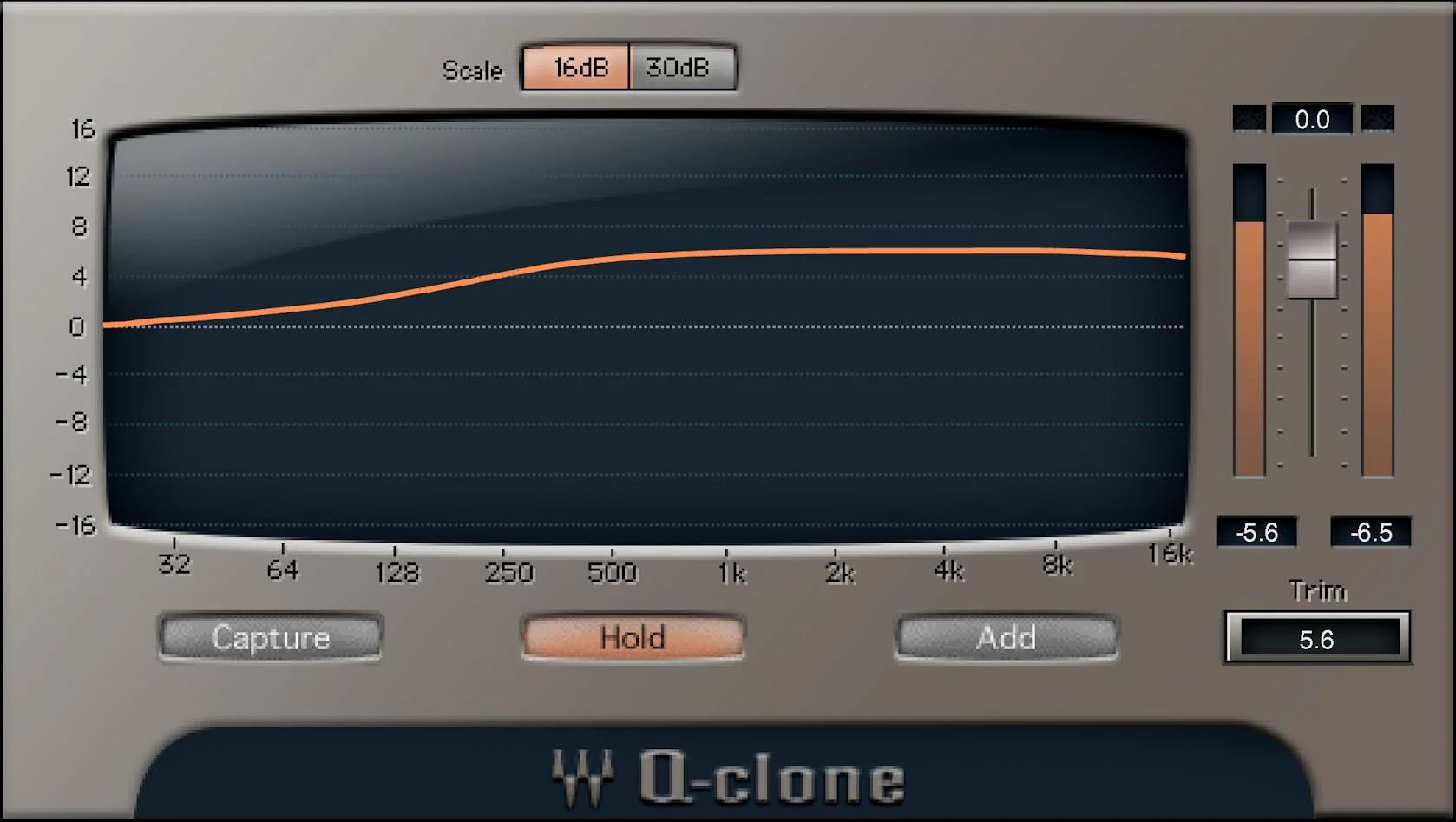
The Q-Capture/Q-Clone combination solves three crucial limitations with outboard analog EQ: You can’t use more than one instance of a hardware processor
you can’t save presets
and you can’t see the actual curve that’s being applied—which often doesn’t correspond to the panel markings.
Q-Capture “samples” a hardware EQ’s curve. Save it as a Q-Clone plugin preset
insert it in as many tracks as you like
and see the exact curve represented graphically. It’s pretty magical.
Features:
- Use hardware EQ curves on as many DAW tracks as you want
- Bring the sound of classic hardware into your DAW’s projects
- Comes with a huge collection of presets from vintage hardware EQs
- Use virtual cables for cloning plugins without an audio interface
- Save analog EQ settings as a plugin preset
- Mix and match curves from different EQs
- Displays what’s really happening with analog EQ curves
- Clone plugins—save curves from several series EQs as one preset
Requirements:
| Platform | CPU | RAM | Disk | Notes | Additional Requirement | Audio Card | Ports | Internet Required | 32 Bit Support | 64 Bit Support | Plugins |
| mac | Intel or Silicon Architecture | 8 | 16 | Minimum: 1024x768 Recommended: 1280x1024 / 1600x1024 USB displays are not supported as the primary display. | 0 | 0 | 0 | ||||
| windows | X64 compatible Intel or AMD CPU | 8 | 16 | Minimum: 1024x768 Recommended: 1280x1024 / 1600x1024 | 0 | 0 | 0 |
$3,879.00
Waves Q-Clone: Equalizer Plugin—
$3,879.00
Product Information
Product Information
Shipping & Returns
Shipping & Returns
Description
The Q-Capture/Q-Clone combination solves three crucial limitations with outboard analog EQ: You can’t use more than one instance of a hardware processor
you can’t save presets
and you can’t see the actual curve that’s being applied—which often doesn’t correspond to the panel markings.
Q-Capture “samples” a hardware EQ’s curve. Save it as a Q-Clone plugin preset
insert it in as many tracks as you like
and see the exact curve represented graphically. It’s pretty magical.
Features:
- Use hardware EQ curves on as many DAW tracks as you want
- Bring the sound of classic hardware into your DAW’s projects
- Comes with a huge collection of presets from vintage hardware EQs
- Use virtual cables for cloning plugins without an audio interface
- Save analog EQ settings as a plugin preset
- Mix and match curves from different EQs
- Displays what’s really happening with analog EQ curves
- Clone plugins—save curves from several series EQs as one preset
Requirements:
| Platform | CPU | RAM | Disk | Notes | Additional Requirement | Audio Card | Ports | Internet Required | 32 Bit Support | 64 Bit Support | Plugins |
| mac | Intel or Silicon Architecture | 8 | 16 | Minimum: 1024x768 Recommended: 1280x1024 / 1600x1024 USB displays are not supported as the primary display. | 0 | 0 | 0 | ||||
| windows | X64 compatible Intel or AMD CPU | 8 | 16 | Minimum: 1024x768 Recommended: 1280x1024 / 1600x1024 | 0 | 0 | 0 |